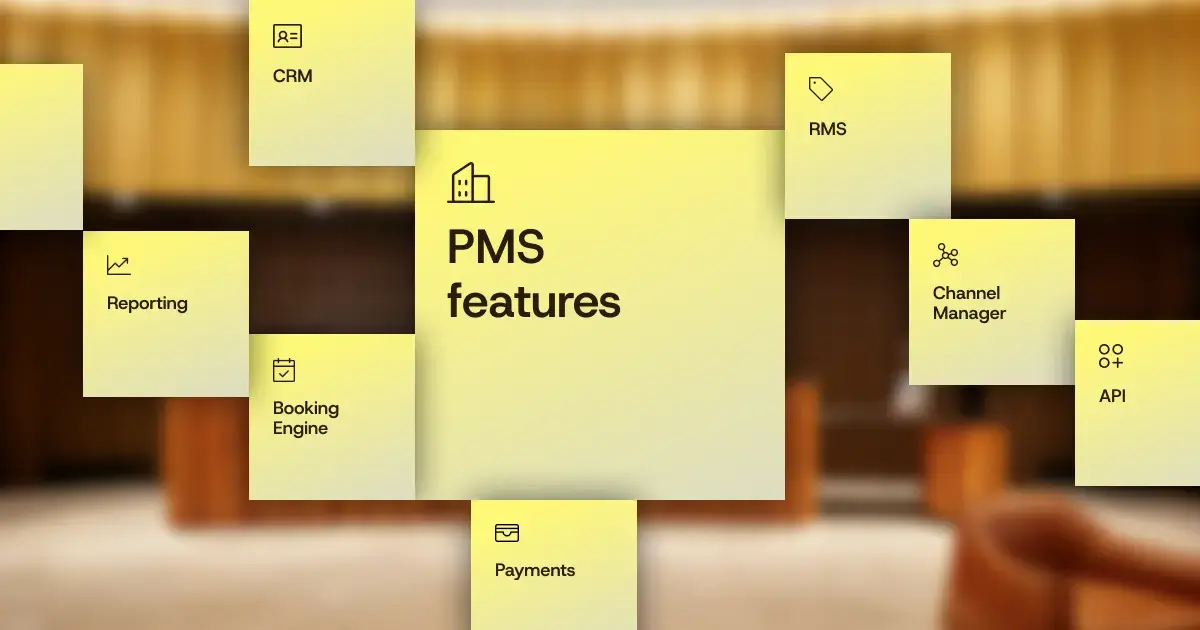
The PMS features hoteliers value most are rarely the flashiest.
While AI and automation take over the headlines and sales pitches, it’s the everyday essentials that keep hotels running. In HotelTechReport’s 2026 survey, hoteliers ranked payment processing and housekeeping tools as their most valued PMS features.
It makes sense. A great property management system should make the work your team does every day easier, while giving you the tools to run a more efficient, profitable business.
So, which features actually matter? Let’s break down the essential hotel PMS features, what they do, and what to look for when evaluating your options.
Key takeaways
- The most important hotel PMS features support five core areas: front desk operations, housekeeping and maintenance, revenue management, guest experience, and reporting.
- Reservation management, room assignments, check-in and checkout, and guest folios form the foundation of a hotel property management system.
- Built-in payment processing, housekeeping management, and mobile access help hotel teams reduce manual work, minimize errors, and improve operational efficiency.
- Rate management, channel management, booking engines, and revenue management systems help hotels optimize pricing, manage distribution, and increase revenue.
- Guest profiles, automated messaging, contactless check-in, and upselling tools help hotels personalize stays while creating additional revenue opportunities.
- Advanced reporting and business intelligence give hoteliers visibility into financial and operational performance, including across multiple properties.
- The best PMS platforms go beyond individual features by connecting operations, payments, distribution, and guest data, allowing teams to work from consistent, real-time information.
What are PMS software features?
Property management software features cover everything from managing reservations and room assignments to processing payments, coordinating housekeeping, communicating with guests, and tracking performance.
Some features support specific departments, while others connect workflows across the entire property. The best systems ensure that all features work together, reducing manual tasks and giving teams access to the information they need.
While the core features are similar across cloud-based and on-premise systems, how they’re accessed, maintained, and connected to other tools can vary.
| PMS feature area | What it handles for hotels |
| Reservation management | Bookings from every source, changes, notes, groups |
| Calendar, inventory, and room assignments | Availability, room types, moves, and upgrades |
| Digital check-in and check-out | Arrivals, departures, registration, contactless options |
| Guest folio | Charges, payments, adjustments, invoices |
| Housekeeping and maintenance | Room status, tasks, out-of-order rooms |
| Payment processing | Cards, wallets, deposits, refunds, reconciliation |
| Rate management and dynamic pricing | Rate plans, restrictions, demand-based pricing |
| Channel management and booking engine | Distribution and direct booking |
| Guest profiles and guest data | History, preferences, special requests |
| Guest communication and upselling | Messaging, automated messages, add-ons |
| Reporting and accounting | Performance, financial reporting, exports |
Front desk features
The following features ensure things move smoothly at the front desk.
Reservation management
Reservation management is the feature everything else leans on. Each booking becomes a single record that holds the guest, dates, room, rate plan, balance, source, and notes, and every other feature reads from it.
What that record should let your team do without leaving the screen:
- Search by guest name, confirmation number, or date, and filter by status or booking source
- Change dates, rooms, or rates and watch the balance update
- Leave notes and reminders the next shift can see
- Build group bookings with room blocks, rooming lists, and shoulder dates
- Sell more than rooms, such as meeting spaces and event inventory, if your property does
Calendar, inventory management, and room assignments
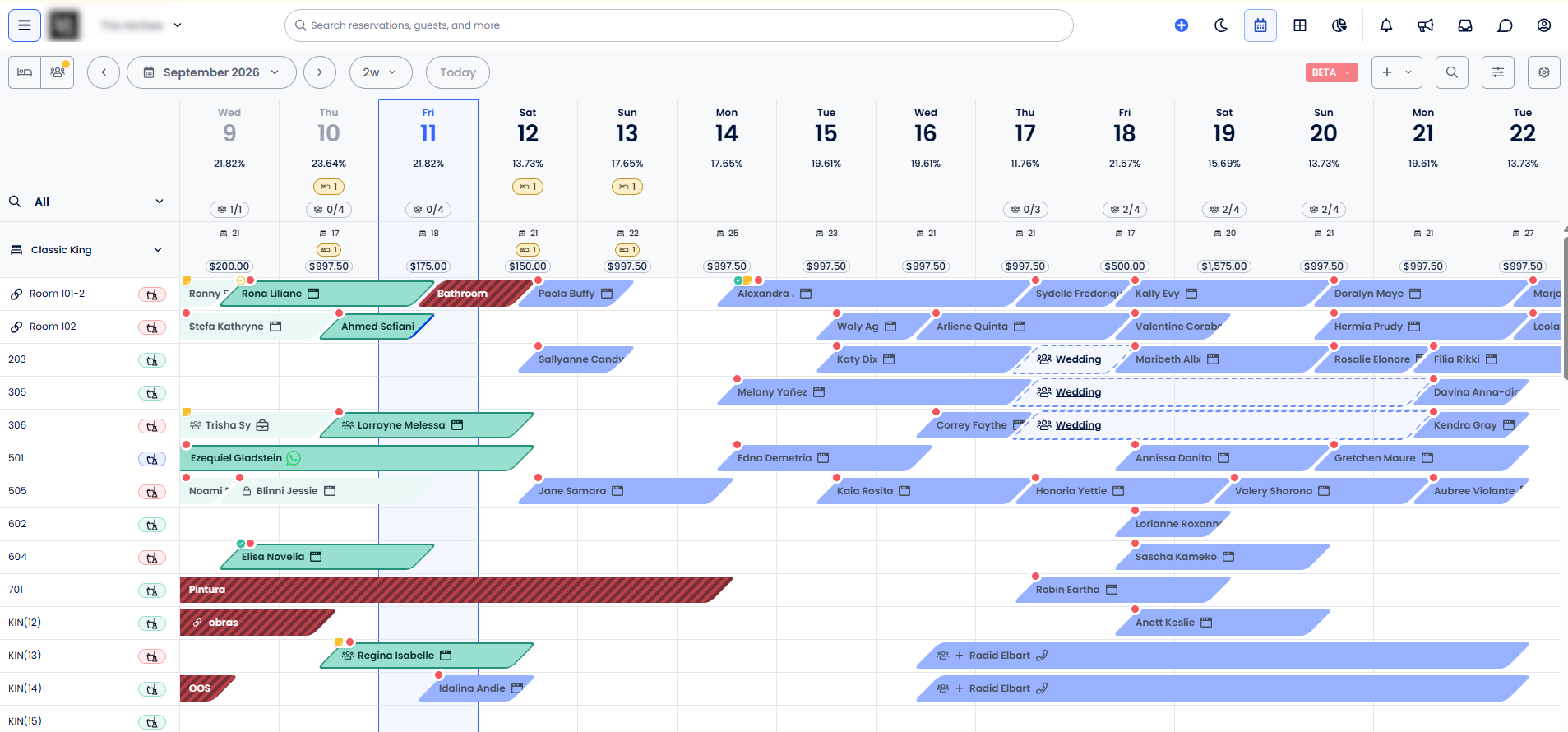
The calendar is where your front desk team lives. It works best when it shows availability and status at a glance and lets staff act without switching screens.
Drag-and-drop room assignments let you move a guest, upgrade a room, or fill a gap in seconds. Inventory management tracks every room type on every date, including rooms held back for repairs, so availability is accurate everywhere you sell. On the Cloudbeds PMS calendar, reservation, housekeeping, and group details sit behind the same view, with one-click arrivals and departures.
Check-in and check-out
One-click check-in is the baseline: pull up the reservation, confirm the details, assign the room, hand over the key. Better systems go further with pre-arrival registration, digital signatures, payment capture before arrival, and keyless entry. Contactless check-in moves that work to the guest’s phone, so your front desk handles exceptions instead of every arrival.
Jason Edwards of Première Advisory Group, who helps hotels move between systems, describes check-in that takes five minutes on a slow system and thirty seconds when guests can pre-check-in. His take on what that gap is worth:
That’s an increase in guest loyalty and guest experience and sentiment that goes a long way to generating revenue down the road.
At check-out, a connected system closes out the balance and updates the room’s status, so housekeeping knows what’s ready for turnover.
Guest folio and billing
Every reservation carries a guest folio: a running record of room charges, taxes, deposits, payments, and adjustments. When your point of sale (POS) is connected to the PMS, charges from the restaurant, bar, or spa post to the folio automatically.
During Compass, Jackson Chin, Director of Product Management at Cloudbeds, shared how Cloudbeds POS connects to the PMS.
Operations features
The following features keep hotel operations in sync.
Housekeeping and maintenance
A housekeeping module shows every room’s status in real time: clean, dirty, inspected, or out of order. Supervisors assign rooms, attendants update status as they finish, and the front desk sees what’s ready without calling down.
Maintenance works the same way. Log a problem against a room, and it can be taken out of inventory until it’s fixed.
When housekeeping and guest communication tools are connected, teams can take automation a step further. A guest requesting extra towels or reporting a broken air conditioner can automatically trigger a task for the appropriate department, with progress tracked in one place.
Mobile accessibility
Mobile accessibility means your team can do their jobs from a phone or tablet, not just the front desk. Housekeepers update room status from the hallway, a manager checks arrivals from the lobby, an owner looks at the day’s numbers from the office.
A cloud-based PMS is built to be accessed from any approved device, while an on-premise PMS typically ties staff to machines on the property.
Revenue management and payment features
From processing guest payments to optimizing room rates and distribution, these features help hotels maximize revenue while reducing manual work.
Payment processing and payment gateways
A payment gateway is the secure connection that authorizes card payments. When payment processing lives inside your PMS, every payment attaches to the right reservation and folio automatically.
The features worth knowing:
- Card, digital wallet, and pay-by-link options, plus tap-to-pay and buy-now-pay-later where available
- Deposits, refunds, and chargebacks tracked on the reservation
- Payout and reconciliation reports that tie payments back to bookings
- PCI-compliant handling of card data
Rate management and dynamic pricing
Your PMS plays a central role in how you manage room rates. It allows you to create and manage different rate plans, such as flexible, non-refundable, and package rates, along with restrictions like minimum stays and closed-to-arrival dates to optimize RevPAR, ADR, and occupancy rates.
But setting rates is only part of the equation. Hotels also need to adjust pricing as demand changes, which is where dynamic pricing and revenue management systems (RMS) come in.
An RMS uses data from your PMS, including occupancy, booking pace, and historical reservations, alongside other demand signals to forecast demand and recommend or automate rate adjustments. When these systems are connected, pricing decisions can be put into action across your distribution channels without manually updating rates in multiple places.
Channel management
Once you’ve set your rates, you need to make sure they’re accurate everywhere guests can book.
A channel manager connects your PMS to OTAs and other distribution channels, automatically syncing rates, availability, and restrictions. When a reservation comes in through one channel, inventory updates across the others, helping prevent overbookings and eliminate manual updates.
Your booking engine handles reservations made directly through your hotel’s website. It displays live rates and availability from your PMS, allowing guests to book without going through a third-party platform or paying OTA commissions.
For hotel groups, a central reservation system (CRS) can provide an additional layer of centralized inventory and reservation management across multiple properties.
Together, these tools help hotels manage pricing and availability from one place, reach travelers across multiple channels, and capture more direct bookings.
Guest engagement features
Beyond managing operations and revenue, the right PMS helps hotels build stronger guest relationships.
Guest profiles and guest data
A guest profile pulls contact details, stay history, total spend, preferences, and notes into one record that follows the guest across stays.
Special requests live here too. Captured once on the reservation, they’re visible to the front desk, housekeeping, and anyone else who needs them. The guest data in the PMS also feeds your CRM (customer relationship management) system, which uses it for segmentation and guest marketing.
Guest communication and messaging
Guest messaging inside the PMS keeps conversations attached to reservations. Cloudbeds Guest Experience, for example, brings email, SMS, WhatsApp, and OTA messages into one inbox, with auto-translation for international guests.
Automated guest communication handles the predictable messages: booking confirmations, pre-arrival details, door codes, post-stay review requests. Reservation events like a new booking, check-in, or check-out trigger them, so nobody has to remember.
Upselling
Upselling puts upgrades, early check-in, breakfast, parking, and local experiences in front of guests at the moments they’re most likely to say yes: during booking, before arrival, and at check-in. Purchases post to the folio, so the revenue shows up in your reporting without extra work.
Reporting and accounting features
Your PMS should also give you a clear picture of how your hotel is performing, with accurate financial data and reporting tools.
Reporting and analytics
Your PMS holds a wealth of information about your hotel’s performance, but that data is only valuable if you can put it to use.
At a minimum, reporting tools should give you quick access to essential metrics like occupancy, ADR, RevPAR, revenue, and booking pace. But more advanced reporting capabilities allow you to dig deeper, identify trends, and answer specific business questions without exporting everything into spreadsheets.
Here are some of the reports your PMS should support:
| Report | What it helps you understand |
| Revenue and performance | How occupancy, ADR, RevPAR, and revenue are trending |
| Booking pace and pickup | How quickly reservations are coming in compared to previous periods |
| Channel performance | Which booking sources are driving revenue |
| Guest data | Who your most valuable guests are and how often they return |
| Operational reports | Upcoming arrivals, departures, housekeeping, and staffing needs |
| Multi-property reporting | How individual properties compare across your portfolio |
Look for a PMS that offers both pre-built reports for everyday needs and customizable reporting tools for more detailed analysis. For hotel groups, the ability to compare performance across properties from a centralized dashboard is especially valuable.
Financial reporting and accounting
Beyond tracking performance, your PMS should make it easier to manage the financial side of your business.
Financial reporting features help hotels track revenue, payments, taxes, fees, refunds, and outstanding balances, while maintaining accurate records of every transaction. For larger properties and groups, this also includes managing accounts receivable, corporate billing, and group folios.
Key capabilities to look for include:
- Transaction-level reporting: Detailed records of charges, payments, adjustments, and refunds.
- Night audit and reconciliation: Tools to verify daily transactions, reconcile payments, and close out each business day.
- Accounts receivable: Track outstanding balances and manage payments from corporate accounts and groups.
- Accounting integrations: Connect financial data to your accounting software or data warehouse without manually transferring information.
- Audit trails: Maintain a clear record of transactions, adjustments, and reversals for greater accountability.
Accurate financial reporting starts with how transactions are recorded in the PMS. As Chad Brubaker, Senior Director of Product at Cloudbeds, explained:
Every transaction is accurate, consistent, and reportable down to the room or even the bed level.
Why connected data matters
A long list of features doesn’t necessarily make a better PMS. What matters is whether those features can share information and work together without creating more work for your team.
This becomes even more important as hotels adopt AI. Automated workflows, demand forecasting, and personalized guest experiences all depend on having accurate, accessible data across systems.
How Cloudbeds brings it together
Cloudbeds takes a unified approach, with its PMS, payments, distribution, revenue management, guest engagement tools, and more built on a shared data foundation.
That means a guest request can trigger a task for housekeeping, a change in demand can inform pricing recommendations, and reservation activity can feed directly into reporting without teams having to reconcile information across disconnected systems.
For hotels with additional technology needs, Cloudbeds also offers an open API and a marketplace of integrations to connect external tools.
Ultimately, choosing a PMS isn’t just about checking off features. It’s about finding a platform that makes those features more valuable together.
Check more than boxes.
See how Cloudbeds turns essential PMS features into better workflows.